
Arduino
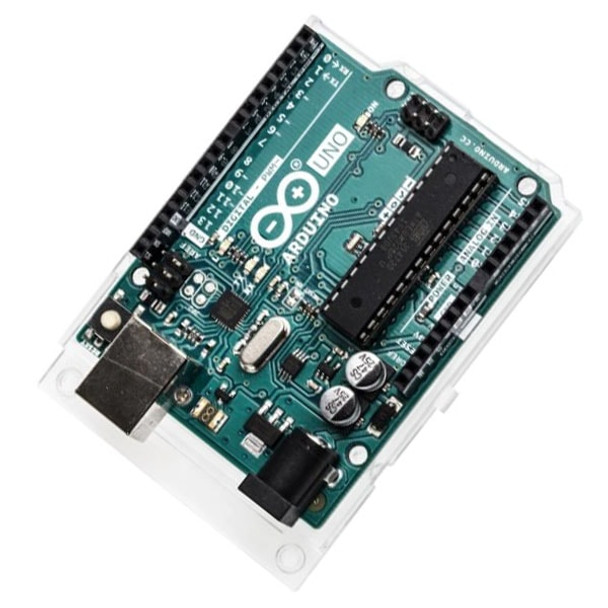
Arduino Uno R3 (Revision 3) Microcontroller Board - A000066
- SKU:
- PPA000066



Description
Arduino Uno R3 (Revision 3) Microcontroller Board - A000066
The Arduino Uno R3 is a microcontroller board based on the ATmega328. It has 14 digital input/output pins (of which 6 can be used as Pulse Width Modulation (PWM) outputs), 6 analog inputs, a 16 MHz crystal oscillator, a USB connection, a DC power jack, an ICSP header, and a reset button. It contains everything needed to support the microcontroller; simply connect it to a computer with a USB cable or power it with an AC-to-DC adapter or battery to get started.
We stock a wide range of plug-in accessory boards (shields), to enable most circuits to be built within minutes.
The Uno differs from all preceding boards in that it does not use the FTDI USB-to-serial driver chip. Instead, it features the Atmega16U2 which is configured as a USB-to-serial converter.
Revision 2 of the Uno board has a resistor pulling the 8U2 HWB line to ground, making it easier to put into Device Firmware Update (DFU) mode.
Revision 3 of the board has the following new features:
- 1.0 pinout: added SDA and SCL pins that are near to the AREF pin and two other new pins placed near to the RESET pin, the IOREF that allow the shields to adapt to the voltage provided from the board. Shields will be compatible both with the board that uses the AVR, which operate with 5V, and with the Arduino Due which operates with 3.3V. The second one is a not connected pin, that is reserved for future purposes.
- Stronger RESET circuit.
- Atmega 16U2 replace the 8U2.
Specifications:
- Microcontroller: ATmega328
- Operating Voltage: 5V
- Input Voltage (recommended): 7-12V
- Input Voltage (limits): 6-20V
- Digital I/O Pins: 14 (of which 6 provide PWM output)
- Analog Input Pins: 6
- DC Current per I/O Pin: 40 mA
- DC Current for 3.3V Pin: 50 mA
- Flash Memory: 32 KB (ATmega328) of which 0.5 KB used by bootloader
- SRAM: 2 KB (ATmega328)
- EEPROM: 1 KB (ATmega328)
- Clock Speed: 16 MHz
On our YouTube Channel you will find a range of interesting video tutorials. They cover a wide use of Arduino Uno R3 features such as Pulse Width Modulation (PWM), Real-Time Clock (RTC), RGB LED, Serial Monitor, Stepper Motor, Thermal Array, RFID, Data logging, and many more.
28 Reviews
-
Title of review 29931
I <3 Arduino Uno. This has to be the handiest revision yet! Delivered lightning fast as always!
-
Title of review 473
Excellent product, good price , quick delivery, courteous service.
-
Title of review 472
The second type of board I have used for development purposes. This version is better as it has a socketed processor, so if an accident happens, it can be replaced. It came with a plastic mounting as well that means it can be easily mounted, or saves any shorts occurring when working on the workbench
-
Title of review 471
My goto board perfect for any number of project.
-
Title of review 470
If you've already used an arduino you won't need to read a review, if you haven't then buy one from proto-pic (great price and swift delivery) and get started.Simple to learn, extremely versatile and well supported on and offline.
-
Title of review 469
Arduinos are always smaller than I think they are and are great value, especially when you conside the large amount of documentation and help around the web.
-
Title of review 468
I am a beginner with AVRs however I found this one very easy to use. It has really enhanced my project i am working on.Also it was delivered very quickly and satisfactorily.Very pleased all round.
-
Title of review 467
I bought this for my husband as part of his Christmas. I can't say that I know what it's for, but he's happy, so that's what matters!I do know that he is currently on a mission to do all sorts of electronic wizardry, and has been busy with something in t
-
Title of review 466
Arduino Uno is a useful board at a great price, product build is excellent and easy to get operational, just add power supply and USB cable to start working with the Arduino IDE.Delivery and communications from Proto-Pic were excellent.
-
Title of review 465
It's been said below but the addition of the printed pin headers is really great and saves you fiddling with the torch in tighter spaces.I've been using these for a while and the UNO is a great product, it looks professional, and works like it too.
Related Products


Arduino Uno R3 (Revision 3) SMD Microcontroller A000073
Arduino
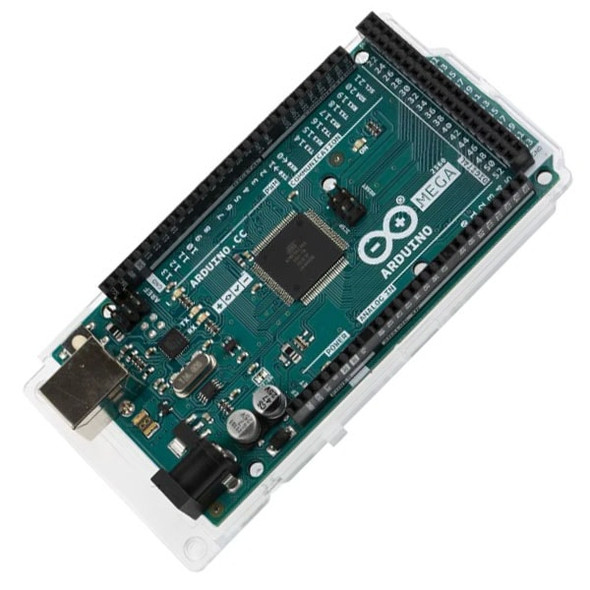
Arduino Mega 2560 Rev3 - A000067
Arduino


Pro Trinket, Arduino Compatible 5V 16MHz (2000)
AdaFruit

USB Cable, Type-A to Type-B, 1 Meter
Proto-PIC
USB Cable, Type-A to Type-B, 1 Meter
Proto-PIC